
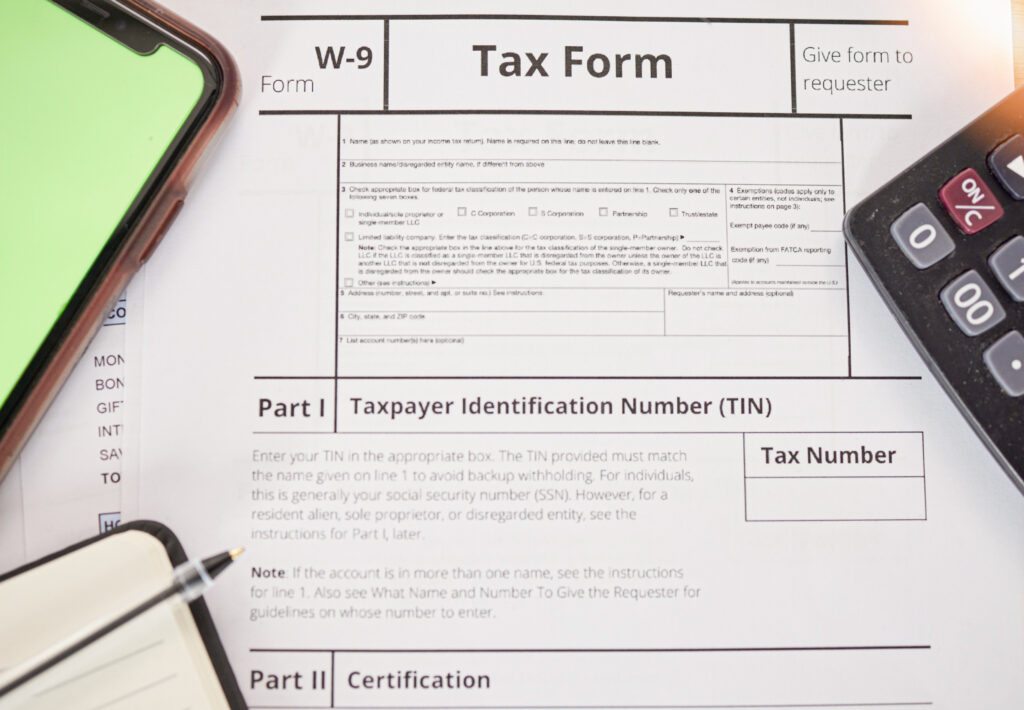
The W-9 tax form, officially called the “Request for Taxpayer Identification Number and Certification”, is an IRS form used to collect information such as your name, address, and taxpayer identification number (TIN). It’s primarily used by businesses or individuals who need to report payments they’ve made to independent contractors, freelancers, or other non-employees.
Unlike forms like the W-2, which employers submit directly to the IRS, a W-9 form isn’t sent to the IRS at all. Instead, it’s kept by the business or individual who pays you so they can issue the correct Form 1099-NEC or Form 1099-MISC at the end of the year.
Essentially, the W-9 serves as your tax identity verification, ensuring your income is properly reported, you receive accurate year-end documentation, and you avoid unnecessary tax withholding. With our professional tax services, you can stay organized, compliant, and stress-free throughout tax season.
Purpose of the W-9 Tax Form
The primary purpose of the W-9 form is to ensure accurate income reporting for tax purposes. The information you provide allows the payer to correctly fill out IRS forms that record how much they’ve paid you over the year.
When a business pays someone who is not an employee, for instance, a contractor, consultant, or vendor, they’re required to report those payments to the IRS if they total $600 or more in a tax year. To do that correctly, they need your name, address, and TIN, all of which come from the W-9 form.
The form also:
- Confirms your legal tax identity (whether you’re an individual or a business entity).
- Ensures that you’re not subject to backup withholding (a 24% withholding on payments if your TIN is incorrect or missing).
- Helps prevent IRS errors caused by name/TIN mismatches.
- Serves as a legal certification that your information is correct and current.
Without a completed W-9, you could face delayed payments, unnecessary withholding, or even penalties if your payer files inaccurate information.
Who Needs to Fill Out a W-9 Form?
A W-9 form isn’t required for everyone, it’s specifically meant for people or entities who receive income outside of a regular employment relationship. If you’re not receiving a W-2 from an employer but are being paid for your work, chances are you’ll be asked to fill out a W-9.
Below are the main categories of individuals and organizations who need to complete this form:
1. Independent Contractors and Freelancers
If you’re self-employed or work on a per-project basis, like a designer, mechanic, content writer, web developer, or consultant, you’ll likely need to fill out a W-9 whenever you start working with a new client.
This allows your client to properly report your earnings to the IRS using Form 1099-NEC. You’ll also receive a copy of that form to include in your personal or business tax return.
2. Self-Employed Professionals and Sole Proprietors
Anyone running their own business as an individual (without incorporating) is considered a sole proprietor. If you perform services for a business, such as accounting, landscaping, auto repair, or marketing, you must submit a W-9 to your clients.
This also includes small business owners who operate under a Doing Business As (DBA) name. Even if you use your business name publicly, your legal name and TIN are still needed for IRS reporting.
3. LLCs and Small Business Owners
If your business is registered as an LLC, you’ll still fill out a W-9 form when you’re hired or contracted by another business. Depending on your LLC’s tax classification (single-member, partnership, or corporation), you’ll provide your EIN (Employer Identification Number) and check the corresponding box in the form.
LLCs and small businesses are often asked to provide a W-9 not only for service contracts but also for partnerships, vendor agreements, and B2B transactions.
4. Landlords and Property Owners
If you rent out property and your tenant or property management company reports rental income to the IRS, they may ask you for a W-9. This ensures that the income they report is tied to the correct taxpayer ID.
For example, a tenant paying rent for office space to a landlord must report those payments if required by tax law, making a W-9 necessary for compliance.
5. Financial Institutions and Investors
Banks, investment firms, or brokerage accounts may ask you to fill out a W-9 to record interest, dividends, or capital gains paid to you throughout the year. The form ensures that these earnings are correctly tied to your tax ID.
If you open a new savings or brokerage account, it’s common for the bank or investment platform to request a W-9 as part of their onboarding process.
6. Prize and Award Recipients
If you win a large cash prize, scholarship, or sweepstakes, the organization awarding the money might ask for a W-9. This helps them report the value of your prize to the IRS using a 1099-MISC form.
For instance, winning a $2,000 raffle or contest will likely require you to submit your W-9 before receiving your reward.
Step-by-Step Guide: How to Fill Out a W-9 Form
Completing a W-9 form may look simple at first glance, but accuracy is crucial. Any small mistake, such as using an incorrect Taxpayer Identification Number (TIN) or mismatched name, can cause delays in payment or even trigger backup withholding (where the IRS requires your payer to withhold 24% of your earnings).
To help you fill it out correctly, here’s a detailed, step-by-step breakdown of every section on the form, including tips and examples to ensure you get it right the first time.
Step 1: Enter Your Legal Name
Begin by writing your full legal name exactly as it appears on your federal income tax return. This name must match the one associated with your Social Security Number (SSN) or Employer Identification Number (EIN) on file with the IRS.
- If you are an individual or sole proprietor, use your personal name, not your business name, in this section.
- If your business operates under a different trade name or DBA (Doing Business As), that will go on the next line instead.
- Avoid using abbreviations, nicknames, or shortened versions of your name, as these can cause mismatches in IRS records.
Example:
If your tax return lists you as Michael A. Brown, write the exact same name here — not Mike Brown.
Accurate identification ensures that your 1099 form later matches your IRS tax records perfectly, preventing unnecessary red flags.
Step 2: Business Name (If Applicable)
The second line of the W-9 form is for your business name, trade name, or DBA. You should only fill this out if you operate under a name different from your legal name.
- Individuals with a DBA: If you’re self-employed and run a business under another name, include that name here.
- LLCs or corporations: Enter your registered business name as it appears in your official formation documents.
- If you’re a freelancer who doesn’t use a business name, you can leave this line blank.
Example:
If your name is Sarah Johnson but you operate under Johnson Marketing Solutions, you would write:
- Line 1: Sarah Johnson
- Line 2: Johnson Marketing Solutions
Providing both names ensures that your clients can issue 1099 forms under the correct business entity while still aligning with your IRS tax records.
Step 3: Select Your Federal Tax Classification
This section is one of the most important on the W-9 form. You’ll need to check the box that best describes your federal tax classification, which tells the IRS how your income should be reported.
Here are the available options:
- Individual / Sole Proprietor or Single-Member LLC:
Choose this if you operate your business by yourself and file taxes using your Social Security Number (SSN). Most freelancers, consultants, and gig workers fall under this category. - C Corporation:
Select this if your business is registered as a C Corp, meaning it’s taxed separately from you as the owner. - S Corporation:
Choose this if your business has elected S Corp status for tax purposes — profits pass directly to you and other shareholders without corporate taxation. - Partnership:
Check this box if your business has two or more owners who share profits and losses under a partnership agreement. - Limited Liability Company (LLC):
If you’re an LLC, check this box and specify whether you’re taxed as a C corporation (“C”), S corporation (“S”), or partnership (“P”) by writing the appropriate letter in the space provided.
If you’re unsure which classification applies to you, review your business registration documents or ask your accountant. Choosing the wrong classification can lead to misfiled 1099s and IRS confusion later.
Step 4: Exemptions (If Any)
This section is not applicable to most individuals. It’s only for certain entities that are exempt from backup withholding or FATCA (Foreign Account Tax Compliance Act) reporting.
- Backup withholding applies when the IRS requires the payer to withhold 24% of your earnings because your TIN or SSN is incorrect or missing.
- FATCA reporting relates to foreign financial institutions and is generally irrelevant for U.S.-based individuals and most small businesses.
If you are exempt, you’ll enter your exempt payee code or FATCA exemption code in the designated boxes. Nonprofits, government agencies, and some corporations may fall into this category.
If you’re not sure, leave this section blank, most self-employed workers, contractors, and small business owners do not need to fill it out.
Step 5: Provide Your Current Address
Your mailing address should be complete and current. This ensures that your client or payer can send your 1099 form and any related tax documents to the correct location.
Include:
- Street address (with suite or apartment number, if applicable)
- City
- State
- ZIP code
It’s essential that this address matches your official business or tax records. If you move after submitting a W-9, update your information with the payer as soon as possible to avoid missing important IRS correspondence.
Example:
If your business operates from home but you prefer receiving mail at a P.O. Box, use your mailing address here, not your physical office address.
Step 6: Enter Your Taxpayer Identification Number (TIN)
Your TIN is the most critical piece of information on the W-9 form. It tells the IRS who is responsible for reporting and paying taxes on the income you receive.
You’ll need to provide either your:
- Social Security Number (SSN): for individuals, sole proprietors, and single-member LLCs taxed as individuals, or
- Employer Identification Number (EIN): for corporations, partnerships, and multi-member LLCs.
It’s important that the TIN you provide matches the name on line 1 of your W-9. Mismatched information can trigger backup withholding or IRS notices.
Example:
If you operate under an LLC with an EIN, don’t list your personal SSN here. Similarly, if you’re a freelancer without an LLC, use your SSN.
If you don’t yet have an EIN but need one, you can apply for free through the IRS website, the process only takes a few minutes.
Step 7: Sign and Date the Form
Finally, you must sign and date your W-9 form to certify that all the information provided is true and correct. Without your signature, the form is not valid.
By signing, you are legally confirming the following statements:
- The TIN you provided is correct.
- You are not subject to backup withholding due to previous IRS violations.
- You are a U.S. citizen, resident alien, or a U.S.-based entity.
If you are subject to backup withholding, you must strike through the second certification line before signing.
Always use a current date and your handwritten signature (or digital signature if submitted electronically). Never send an unsigned W-9, it can delay your payments or lead to rejection by the requester.
What Happens After You Submit a W-9 Form?
Once you submit your completed W-9 to a client, bank, or other requester, they’ll store it securely in their records. It’s not sent to the IRS at this stage. Instead, they use the information to:
- Report payments made to you on Form 1099-NEC or 1099-MISC at the end of the year.
- Ensure your tax identity is accurate for compliance.
You’ll receive your copy of the 1099 early in the next year, summarizing your total payments. Use that document when filing your federal and state income taxes.
Common W-9 Mistakes to Avoid
Even a simple form like the W-9 can cause tax issues if filled incorrectly. Avoid these common mistakes:
- Using an outdated IRS W-9 form.
- Entering a nickname or informal name.
- Forgetting to sign or date the form.
- Providing an incorrect or mismatched SSN/EIN.
- Failing to update your W-9 after business name or address changes.
Being careful ensures smoother payments and prevents IRS errors.
Protecting Your W-9 Information
Since the W-9 includes sensitive details like your SSN or EIN, it’s vital to share it securely.
- Always send it via encrypted email or a secure document portal.
- Avoid sending it through regular email or text.
- Keep a copy for your own records.
You should also verify that the requester is legitimate before sharing your personal information.
Simplify Your Tax Filing with The Madtax
Navigating tax forms like the W-9 can often feel overwhelming, especially when you’re managing a growing business. Between understanding IRS requirements, organizing receipts, and ensuring accurate bookkeeping, tax season can quickly turn stressful. That’s where The Madtax steps in, making the entire process effortless, efficient, and fully compliant. Our team of tax professionals takes care of everything, from preparing your W-9 and 1099 forms to managing complex filings, so you can stay focused on running your business with confidence.
At The Madtax, we believe in more than just filing your taxes, we believe in optimizing them. Our integrated system connects your bookkeeping data directly to our tax software, ensuring a smooth and accurate transition from financial records to finalized tax returns. Every figure is double-checked by experts who understand your industry, helping you uncover new savings opportunities while minimizing errors and delays. Whether you’re a freelancer, small business owner, or corporation, The Madtax ensures your tax process is seamless from start to finish, reliable, transparent, and stress-free.